Download TikTok Stories
Free TikTok Story Downloader - No watermark, HD quality, works on all devices
SnapTik - Free TikTok Story Downloader
SnapTik provides a complete solution for saving TikTok content to your device, including TikTok videos and TikTok stories. Our app works seamlessly on iOS devices, Android and PC to help you download the TikTok stories you love without watermark and for free!
Save TT stories as popular MP4 video format with very fast download speed. Unlimited and free downloads.

Download SnapTik App for Android
Download TikTok stories faster with our Android app. Get the best experience for saving TikTok content.

How to Download TikTok Stories
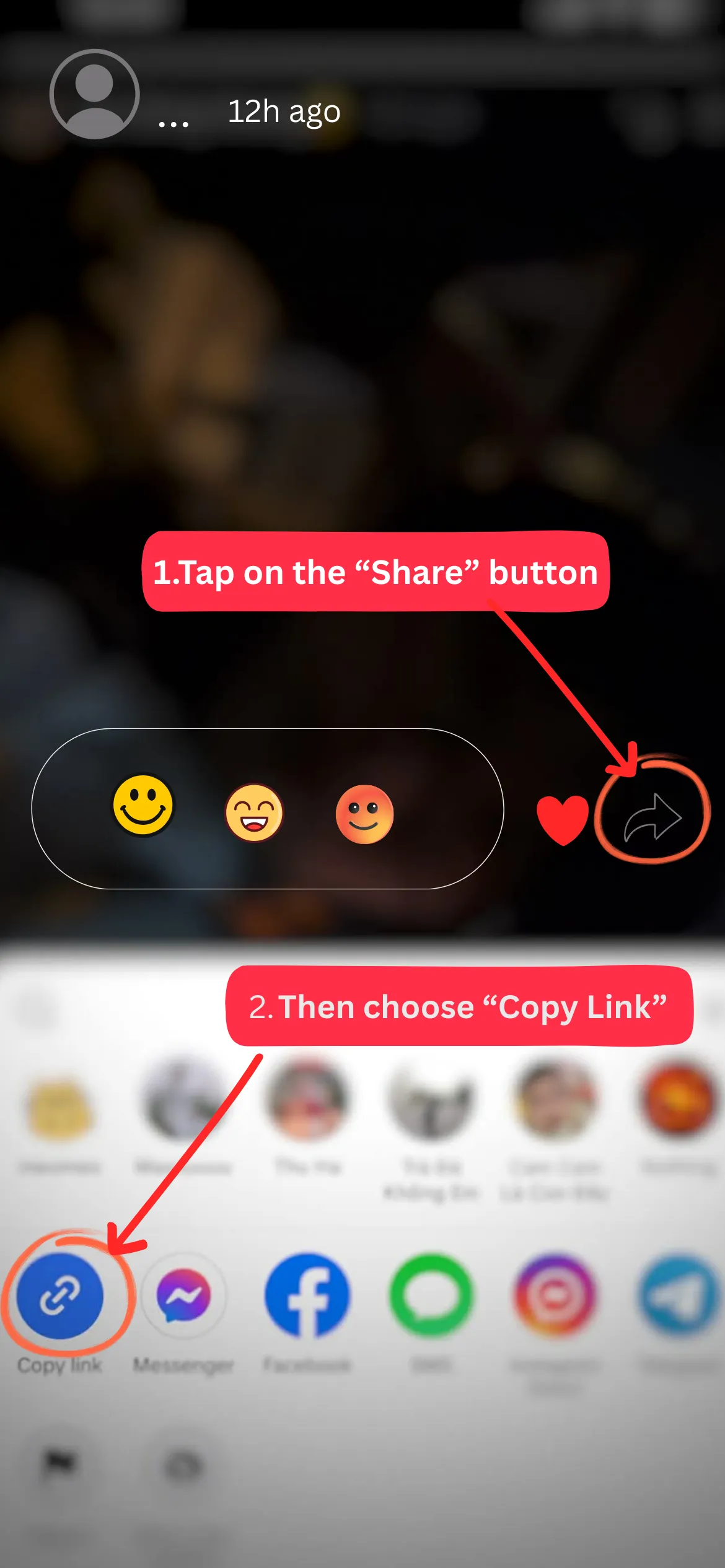
Find and copy the TikTok story video link
First, find the story video on TikTok that you want to download. In each video, you will find a "Share" button. It is the bottom option on the right. Click "Copy Link" to save the TikTok video link.
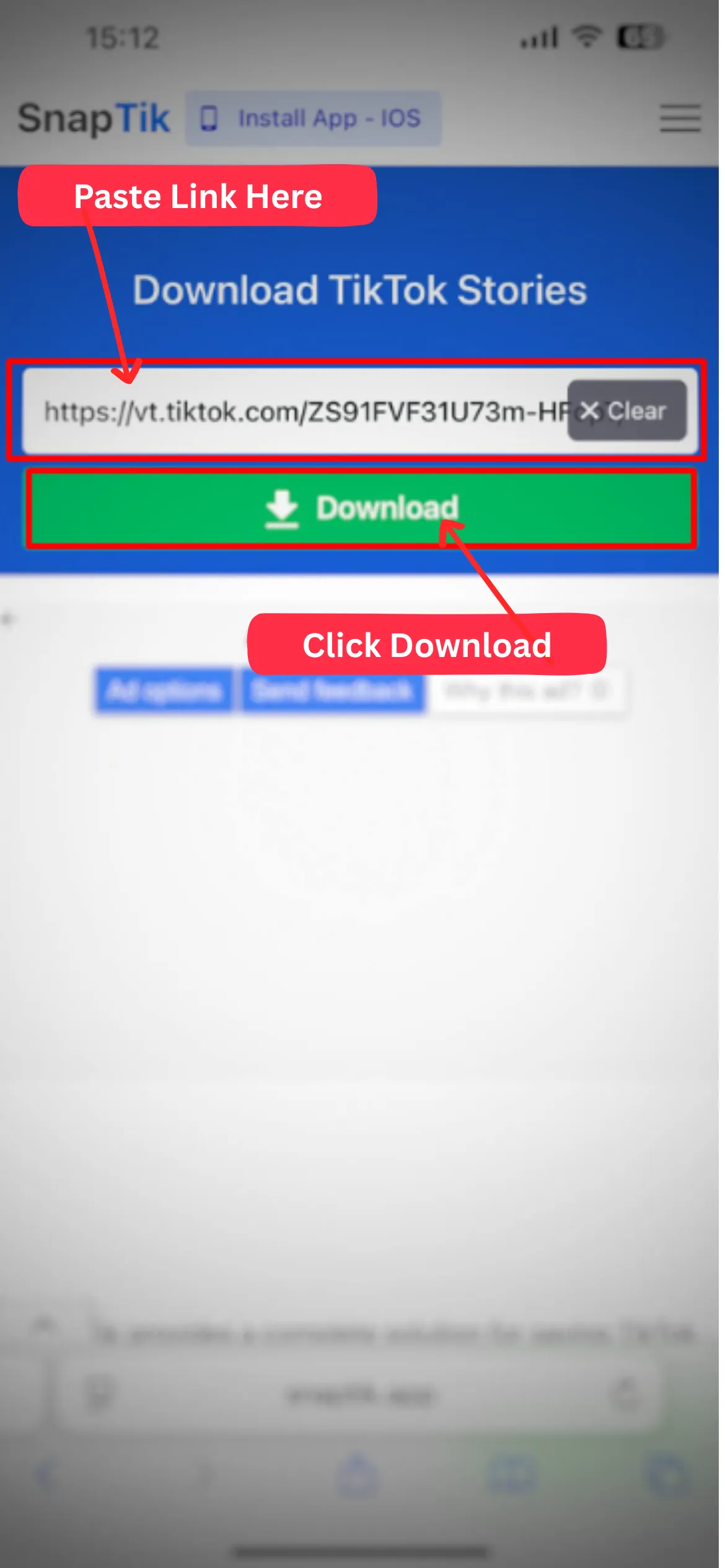
Access TikTok Story Downloader
You can open this page or simply go to Snaptik.app. Paste the copied link at the top of the page. Use the "Paste" button on mobile or Ctrl+V on PC.
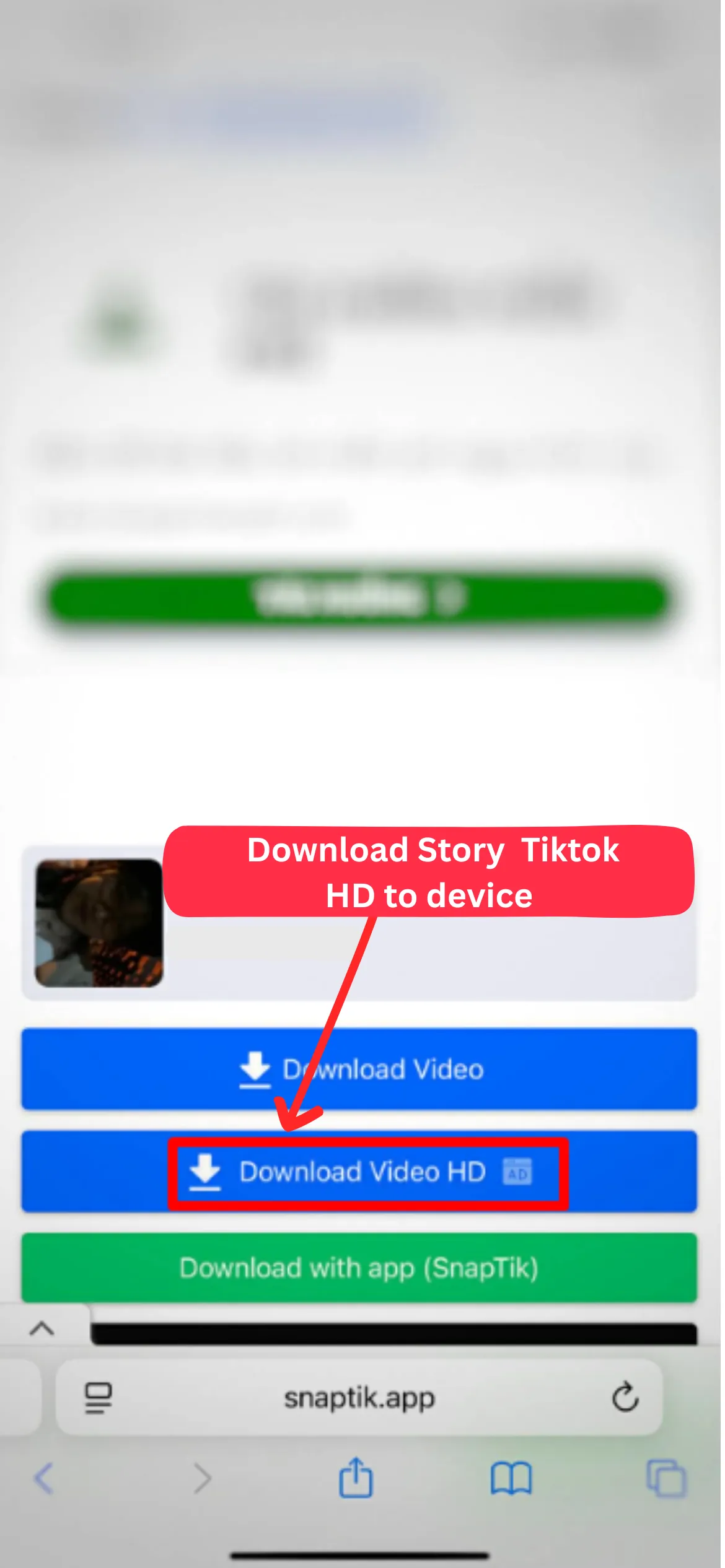
Press "Download"
After pasting the link, simply press "Download" to start downloading the TikTok story without the watermark while maintaining the original video quality.
Benefits of TikTok Story Downloader
No Watermark
Automatically remove watermark from downloaded TikTok stories.
All Devices
Works on mobile devices, tablets or PC. Compatible with all common platforms.
All Browsers
Works on Chrome, Firefox, Safari, Edge and most common web browsers.
Free & Unlimited
Unlimited and free downloads. No registration or payment required.
MP4 Format
Save TT stories as popular MP4 video format for easy sharing.
Fast & HD
Very fast download speed while maintaining the original video quality.
FAQ
Can I save story videos from TikTok on iPhone/iPad?
Can I download TikTok story on Android phones?
Is SnapTik's TikTok story downloader actually free?
Is it illegal to download TikTok stories?
Note: SnapTik (Tiktok video Downloader) is not a tool of Tiktok, we have no relationship with Tiktok or ByteDance Ltd. We only support Tiktok users to download our videos on Tiktok without logo without any trouble. If you have problems with sites like Tikmate or SSSTiktok, try SnapTik, we are constantly updating to make it easy for users to download tiktok videos. Thank you!